

Fax Sender
What Is a Fax Sender?
A fax sender is the person, device, or system that sends a fax document to a recipient through a fax network. The fax sender can be a traditional fax machine, computer software, or an online fax service that sends documents digitally over the internet.
In modern business fax, fax sending is often a cloud-based platform that allows users to send fax without needing a physical fax machine or phone line.
How a Fax Sender Works
A fax sender converts documents into a format that can be transmitted over a fax network. Depending on the technology used, this can happen through:
Traditional phone line fax transmission
Email to fax services
Online fax portals
API fax sending from business software
Once the fax sender transmits the document, it is received by the recipient’s fax machine or digital fax inbox.
Types of Fax Senders
Traditional Fax Machine Sender
Uses an analog phone line to send paper documents scanned into the fax machine.
Computer or Software Fax Sender
Allows users to send digital files directly from a computer using fax software.
Online Fax Sender (Cloud Fax)
Uses the internet for online fax send from email, web portals, or integrated business applications. This is now the most common business fax sending method.
Benefits of Modern Online Fax Senders
Modern fax sender platforms and services offer advantages such as:
Send faxes from any device
No fax machine or phone line required
Easy document tracking
Secure digital document handling
Integration with business software
Online fax senders also support high-volume sending and automated workflows.
Fax Sender vs Fax Receiver
Fax Sender → Sends the fax document
Fax Receiver → Receives the fax document
Many online fax services, such as Notifyre, allow users to act as both sender and receiver from the same dashboard.
How to Send a Fax
Sending a fax today can be done in several ways depending on the tools available. The basic process is generally the same, even for online fax services like Notifyre:
Step 1: Prepare your document
This can be a printed document or a digital file such as PDF, Word, or image file.
Step 2: Enter the recipient fax number
Make sure the number is correct and includes country and area codes if sending internationally.
Step 3: Add a fax cover sheet (optional but recommended)
This helps identify the sender, recipient, and purpose of the fax.
Step 4: Send the fax
Using a fax machine, computer fax software, or an online fax platform.
Step 5: Confirm delivery
Most modern fax platforms provide delivery confirmation and transmission reports.
Where Can You Send a Fax
You can send a fax from several locations or platforms depending on convenience and urgency:
Traditional Locations
Office fax machines
Shipping and print stores (some still offer fax services)
Business centers
Digital and Online Options
Mobile fax apps
Business software integrations
Many businesses now prefer online fax because it allows faxing from any device with internet access, without needing to visit a physical location.
Using an Online Fax Sender with Notifyre
Online fax services like Notifyre allow businesses to send faxes without a fax machine or dedicated phone line. Users can send documents through email, web dashboard, or API integration with other apps or software.
With pay-as-you-go fax sending, businesses can send faxes when needed without paying for unused capacity.
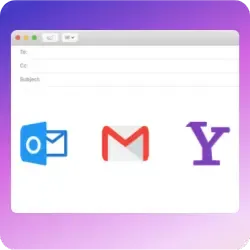
Fax From Email
Create a new email, attach your fax document and enter the recipient’s fax number.
 Explore Email To Fax
 Instantly Receive Faxes
Get a fax number to receive faxes online, to email or your business systems.
 Receive Fax Online
  4.7/5
4.7/5 





