

Fax Job
What Is a Fax Job?
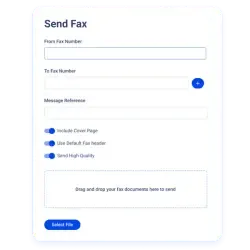
A fax job refers to a single fax transmission request. It includes the document being sent, the sender details, the recipient fax number, and the transmission status.
In simple terms, when you send a fax, the fax system creates a fax job and processes it until it is successfully delivered, fails, or needs to be retried.
Fax jobs exist in both traditional fax machines and modern online fax platforms, where they may be processed as an internet fax job using digital transmission networks instead of phone lines.
What Information Is Included in a Fax Job?
A typical fax job contains several key components:
Sender details or fax number
Recipient fax number
Document or file being sent
Time and date of transmission
Transmission status (sent, failed, pending, or retrying)
Fax cover sheet details (if included)
Modern online fax platforms like Notifyre provide fax senders delivery confirmation and a record of the fax history.
How a Fax Job Is Processed
When a fax job is created, the system follows a transmission workflow:
The document is uploaded or attached
The system converts the file into fax format
The fax is queued for sending
The system attempts delivery to the recipient fax number
A delivery confirmation or failure notice is generated
If the fax fails, some fax services such as Notifyre, automatically retry the fax job. Many businesses automate this workflow using fax API.
What Does Fax Job Added Mean?
“Fax job added” means the fax transmission request has been successfully created in the system. At this stage, the document and recipient details have been accepted, and the fax job is waiting to be queued or processed for sending.
Fax Job Statuses Explained
Most fax systems show the progress of a fax job using status labels such as:
Queued - Waiting to be sent
Sending - Currently transmitting
Sent / Delivered - Successfully received
Failed - Transmission unsuccessful
Retrying - System is attempting to resend
Tracking fax job status helps businesses confirm document delivery.

 4.7/5
4.7/5 





