Switch from Twilio's® SMS API to Notifyre
Updated May 15th, 2026 - 4 min read
 One-Time Fax
Rated 5 stars on

Google Reviews
If you're a developer looking to move your SMS integration away from Twilio, you're not alone. Whether it's the cost, the slow support, or wanting something simpler to work with, Notifyre is a solid alternative that won't make you start from scratch. This guide covers exactly what you need, how the SMS API works, and what to expect when you make the switch.
Twilio is a capable online SMS platform, but it comes with real frustrations:
Sending SMS through Twilio costs around 60% more* in Australia than it does through Notifyre. Receiving messages costs extra too, on both SMS and MMS. With Notifyre, inbound messages are included at no charge.
With Twilio, getting a real person on the phone costs $1,500* a month minimum on Twilio's Business Plan. A one-hour response time for critical issues costs more. That's before you send a single message.
We include phone, live chat, and email support for every account, at no extra cost. The same goes for security: AES 256-bit encryption, mandatory two-factor login, ISO 27001:2022 certification, and healthcare compliance are all standard.
| Comparison | Notifyre (AUD) | Twilio (USD, ~AUD equiv.) |
|---|---|---|
| Pricing model | Pay-as-you-go, no minimum spend | Pay-as-you-go, with volume commitments available |
| Sending SMS (Australia) | $0.05 per SMS part | $0.0515 per SMS part (~$0.08 AUD) |
| Receiving SMS (Australia) | Included | $0.0075 per SMS part (~$0.012 AUD) |
| Sending MMS (Australia) | $0.30 per MMS msg | $0.35 per MMS msg (~$0.54 AUD) |
| Receiving MMS (Australia) | Included | $0.35 per MMS msg (~$0.54 AUD) |
Pricing was collected on 15/05/2026 and is subject to change. Notifyre pricing is in AUD. Twilio pricing is in USD and will vary with the exchange rate. The AUD equivalent figures above use an approximate rate of 1 USD = 1.55 AUD. Always check Notifyre's pricing page and Twilio's pricing page to confirm current rates before making any decisions.
Getting set up takes about five minutes:
Send your first message
There are no complex setup flows and no requirement to pre-configure a number before testing. You can send from a shared Notifyre number while you're building.
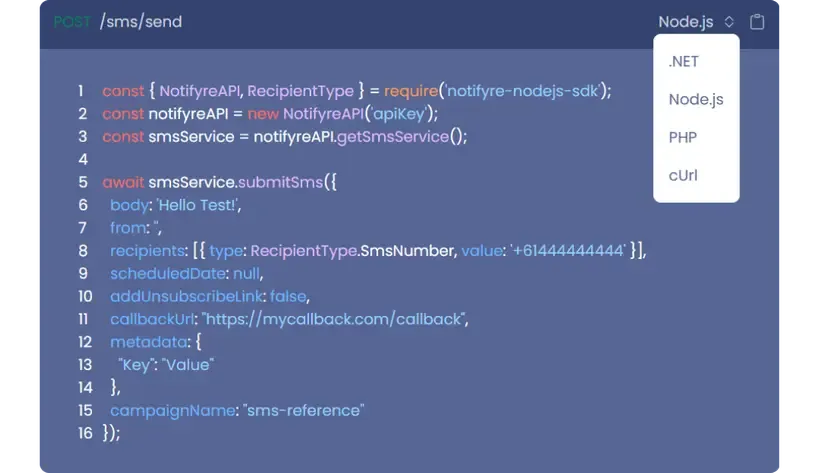
The base URL for all requests is:
https://api.notifyre.com
Authentication uses a token you generate from your dashboard, passed as a header on every request:
x-api-token: YOUR_API_TOKEN
All responses are JSON. Every endpoint in the docs includes a working code sample in .NET, Node.js, PHP, and cURL, so you can copy and run something real in minutes rather than spending time translating documentation into your language of choice. You switch between languages using the dropdown at the top of each code panel.
The SMS API covers everything you'd expect: sending individual messages, checking delivery status, retrieving replies, and managing virtual numbers.
Here's how sending an SMS looks in Node.js:
javascript
const { NotifyreAPI, RecipientType } = require('notifyre-nodejs-sdk'); const api = new NotifyreAPI('YOUR_API_TOKEN'); const smsService = api.smsService; smsService.submitSms({ body: 'Your appointment is confirmed for tomorrow at 10am.', from: 'YourBrand', // Leave empty to use a shared Notifyre number recipients: [{ type: RecipientType.SmsNumber, value: '+61444444444' }], scheduledDate: null // Set a Unix timestamp to schedule, or null to send now });
And here's the same request in cURL, for those who prefer to work directly with the API:
bash
curl -X POST https://api.notifyre.com/sms/send \   -H "x-api-token: YOUR_API_TOKEN" \   -H "Content-Type: application/json" \   -d '{
    "body": "Your appointment is confirmed for tomorrow at 10am.",
    "from": "YourBrand",
    "recipients": [{ "type": "sms_number", "value": "+61444444444" }],
    "scheduledDate": null
  }'
A few things worth knowing:
from accepts a sender name or your dedicated virtual number. Leave it empty to send from a shared Notifyre number.scheduledDate accepts a Unix timestamp if you want to queue messages ahead of time. Pass null to send immediately.
As well as standard SMS, Notifyre's API supports MMS, which lets you send messages that include images and other media alongside text.
The endpoint is POST /mms/send/ and the parameters are straightforward:
MMS is available in .NET, Node.js, PHP, and cURL, just like the SMS endpoints. If a customer sends you an MMS reply, you can receive it via webhook (covered below).
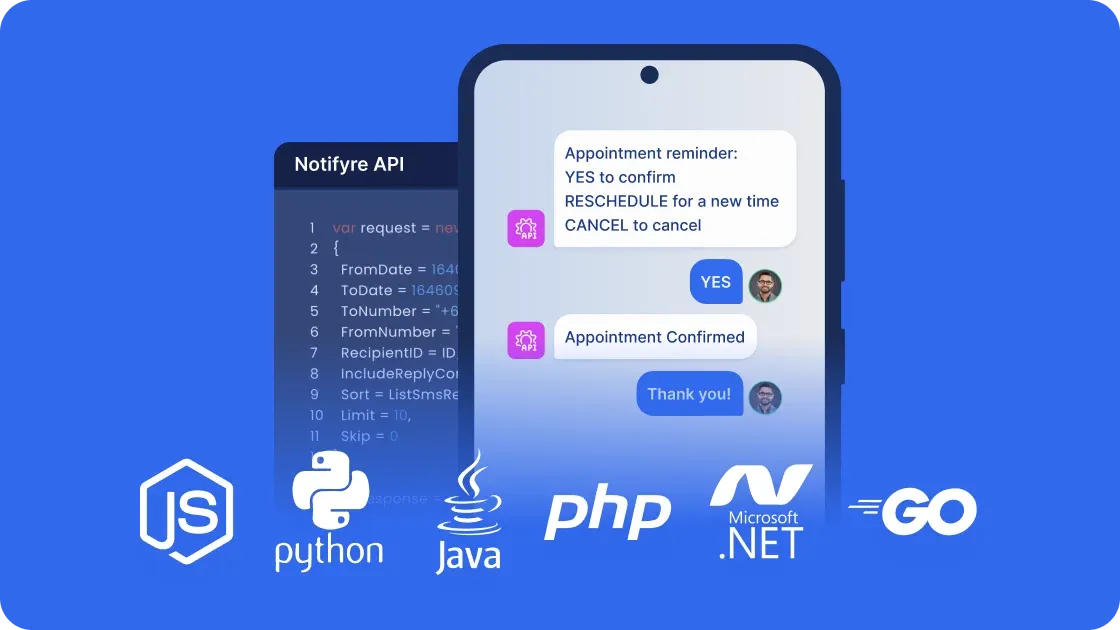
Webhooks are how Notifyre tells your application when something has happened, without you having to keep checking. When an event occurs (a message is sent, a reply comes in, a fax is received), Notifyre sends an HTTP POST request to a URL you define on your server.
The events you can subscribe to are:
sms_sent triggered when an SMS is sent from your accountsms_received triggered when an inbound SMS arrivesmms_received triggered when an inbound MMS arrivesfax_sent triggered when a fax is sentfax_received triggered when a fax is received
Webhook signatures are worth calling out because they're handled properly here. Every webhook event includes a Notifyre-Signature header containing a timestamp and a signature generated using your endpoint's secret key. This lets you verify that the request came from Notifyre and hasn't been tampered with. The SDK handles this verification for you, and there's a built-in five-minute tolerance on the timestamp to account for minor clock differences between servers.
If you're sending SMS in the United States, mobile carriers require all businesses to register their number and messaging use case through a process called 10DLC (10-Digit Long Code) registration. Notifyre documents this clearly and can help you through the process. Plan for one to two weeks for approval before your go-live date.
When something breaks in production, a ticket queue is not helpful. With Notifyre you can:
This is one of the most consistent things developers mention when they switch. Twilio support can take days. Notifyre picks up.
Get started with Notifyre’s SMS API by exploring our API documentation and accessing sample code in .NET, Node.js, PHP, and cURL. Our quick start guides and GitHub repositories will help you integrate Notifyre’s SMS API into your applications in just a few lines of code. Questions during setup? The support team is available by live chat and phone. No ticket required.
Make the switch to Notifyre and experience the benefits a simple API and human support when you need it. Whether you’re transitioning from Twilio or starting fresh, Notifyre’s low-cost SMS API service provides your business with scalability, security, and reliability. Looking for a no-code SMS solution try out our Zapier SMS integration instead!
Switch to Notifyre for secure, scalable SMS messaging. Try our no-code Zapier integration!


Use scheduling tools, SMS templates and bulk contact upload to send SMS broadcasts.
 Explore SMS Marketing
 Explore how your software can send SMS automatically with Zapier.
 Discover Integrations


Our SMS and fax gateway is compliant with privacy laws, ensuring your business data stays secure. Notifyre’s secure messaging tools keeps your online fax secure and SMS data protected at all times.
 4.7/5
4.7/5 





